
A snowflake banner is a fun project for the holidays that takes advantage of the ScanNCut's built-in scanner.
I never wanted a die cut machine because I like things that are organic and imperfect. Luckily, the ScanNCut allows me to make multiples of my own personal organic and imperfect shapes, like snowflakes.
Watch the video to see how I turn a hand cut snowflake into lots of little paper snowflakes.
Here's a closer look at the banner:
I hope you'll give making your own snowflake banner a try!
Thanks for stopping by!
SUPPLIES USED:
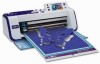         |
—
P.S. I am a paid spokesperson for the Brother ScanNCut, but as always the enthusiasm and creativity is all my own! :)

this is SOOOOO cool!!! thanks for another great tutorial!!
this is SOOOOO cool!!! thanks for another great tutorial!!
this is SOOOOO cool!!! thanks for another great tutorial!!
this is SOOOOO cool!!! thanks for another great tutorial!!
this is SOOOOO cool!!! thanks for another great tutorial!!
Good Tuesday Morning, Julie
You never cease to amaze me with your tutorials. I already have all the supplies I need so today is a “snowflake” making day! I might even branch off from the Autumn leaves theme to snowflakes in my Junque Journal…see you in class! 🙂
Good Tuesday Morning, Julie
You never cease to amaze me with your tutorials. I already have all the supplies I need so today is a “snowflake” making day! I might even branch off from the Autumn leaves theme to snowflakes in my Junque Journal…see you in class! 🙂
Good Tuesday Morning, Julie
You never cease to amaze me with your tutorials. I already have all the supplies I need so today is a “snowflake” making day! I might even branch off from the Autumn leaves theme to snowflakes in my Junque Journal…see you in class! 🙂
Good Tuesday Morning, Julie
You never cease to amaze me with your tutorials. I already have all the supplies I need so today is a “snowflake” making day! I might even branch off from the Autumn leaves theme to snowflakes in my Junque Journal…see you in class! 🙂
Good Tuesday Morning, Julie
You never cease to amaze me with your tutorials. I already have all the supplies I need so today is a “snowflake” making day! I might even branch off from the Autumn leaves theme to snowflakes in my Junque Journal…see you in class! 🙂
Fabulous. I keep asking myself, why didn’t I think of that? So perfect to take the paper bits (could be stars, trees, wreaths) and sew them together. The thread is strong enough for the project. Love it!
Fabulous. I keep asking myself, why didn’t I think of that? So perfect to take the paper bits (could be stars, trees, wreaths) and sew them together. The thread is strong enough for the project. Love it!
Fabulous. I keep asking myself, why didn’t I think of that? So perfect to take the paper bits (could be stars, trees, wreaths) and sew them together. The thread is strong enough for the project. Love it!
Fabulous. I keep asking myself, why didn’t I think of that? So perfect to take the paper bits (could be stars, trees, wreaths) and sew them together. The thread is strong enough for the project. Love it!
Fabulous. I keep asking myself, why didn’t I think of that? So perfect to take the paper bits (could be stars, trees, wreaths) and sew them together. The thread is strong enough for the project. Love it!
Fabulous! I am still seriously considering this machine. You are a great spokesperson and your video is so very well done!
Fabulous! I am still seriously considering this machine. You are a great spokesperson and your video is so very well done!
Fabulous! I am still seriously considering this machine. You are a great spokesperson and your video is so very well done!
Fabulous! I am still seriously considering this machine. You are a great spokesperson and your video is so very well done!
Fabulous! I am still seriously considering this machine. You are a great spokesperson and your video is so very well done!
Great idea, Julie. Your tutorial on the face shadow box was the first lesson I had when my husband purchased a ScanNCut for me for Christmas, last year. You gave me the confidence to get busy making projects with it. This year we, and I say we because my husband helped me through the whole thing, made seventy Christmas cards using the ScanNCut, incorporating an old Christmas tree embossing plate, Christmas fabric and a message stamp. A whole lot of work but a whole lot of fun! Thanks for your ongoing instruction and inspiration!
Great idea, Julie. Your tutorial on the face shadow box was the first lesson I had when my husband purchased a ScanNCut for me for Christmas, last year. You gave me the confidence to get busy making projects with it. This year we, and I say we because my husband helped me through the whole thing, made seventy Christmas cards using the ScanNCut, incorporating an old Christmas tree embossing plate, Christmas fabric and a message stamp. A whole lot of work but a whole lot of fun! Thanks for your ongoing instruction and inspiration!
Great idea, Julie. Your tutorial on the face shadow box was the first lesson I had when my husband purchased a ScanNCut for me for Christmas, last year. You gave me the confidence to get busy making projects with it. This year we, and I say we because my husband helped me through the whole thing, made seventy Christmas cards using the ScanNCut, incorporating an old Christmas tree embossing plate, Christmas fabric and a message stamp. A whole lot of work but a whole lot of fun! Thanks for your ongoing instruction and inspiration!
Great idea, Julie. Your tutorial on the face shadow box was the first lesson I had when my husband purchased a ScanNCut for me for Christmas, last year. You gave me the confidence to get busy making projects with it. This year we, and I say we because my husband helped me through the whole thing, made seventy Christmas cards using the ScanNCut, incorporating an old Christmas tree embossing plate, Christmas fabric and a message stamp. A whole lot of work but a whole lot of fun! Thanks for your ongoing instruction and inspiration!
Great idea, Julie. Your tutorial on the face shadow box was the first lesson I had when my husband purchased a ScanNCut for me for Christmas, last year. You gave me the confidence to get busy making projects with it. This year we, and I say we because my husband helped me through the whole thing, made seventy Christmas cards using the ScanNCut, incorporating an old Christmas tree embossing plate, Christmas fabric and a message stamp. A whole lot of work but a whole lot of fun! Thanks for your ongoing instruction and inspiration!
I just viewed your video about reviving the cutting mat for ScanNCut. Have you ever used Zig glue? I have used it on my Cricut mats, and it is wonderful. You just wash the mat with soap and water (but I guess cleaning it with the baby wipes would work, too). Let the mat dry thoroughly, then apply the Zig according to instructions, leaving it to dry completely. This will leave the mat sticky. If you apply the glue and then paper, or whatever item you’re cutting, you’ll take a risk of that item being permanently attached to the mat. So, read the instructions CAREFULLY. Let me know your thoughts on this. I recently purchased my ScanNCut. Can’t wait to try it out. But with the Thanksgiving holiday, I’ve put off trying it until I’ll have some quiet time.
I just viewed your video about reviving the cutting mat for ScanNCut. Have you ever used Zig glue? I have used it on my Cricut mats, and it is wonderful. You just wash the mat with soap and water (but I guess cleaning it with the baby wipes would work, too). Let the mat dry thoroughly, then apply the Zig according to instructions, leaving it to dry completely. This will leave the mat sticky. If you apply the glue and then paper, or whatever item you’re cutting, you’ll take a risk of that item being permanently attached to the mat. So, read the instructions CAREFULLY. Let me know your thoughts on this. I recently purchased my ScanNCut. Can’t wait to try it out. But with the Thanksgiving holiday, I’ve put off trying it until I’ll have some quiet time.
I just viewed your video about reviving the cutting mat for ScanNCut. Have you ever used Zig glue? I have used it on my Cricut mats, and it is wonderful. You just wash the mat with soap and water (but I guess cleaning it with the baby wipes would work, too). Let the mat dry thoroughly, then apply the Zig according to instructions, leaving it to dry completely. This will leave the mat sticky. If you apply the glue and then paper, or whatever item you’re cutting, you’ll take a risk of that item being permanently attached to the mat. So, read the instructions CAREFULLY. Let me know your thoughts on this. I recently purchased my ScanNCut. Can’t wait to try it out. But with the Thanksgiving holiday, I’ve put off trying it until I’ll have some quiet time.
I just viewed your video about reviving the cutting mat for ScanNCut. Have you ever used Zig glue? I have used it on my Cricut mats, and it is wonderful. You just wash the mat with soap and water (but I guess cleaning it with the baby wipes would work, too). Let the mat dry thoroughly, then apply the Zig according to instructions, leaving it to dry completely. This will leave the mat sticky. If you apply the glue and then paper, or whatever item you’re cutting, you’ll take a risk of that item being permanently attached to the mat. So, read the instructions CAREFULLY. Let me know your thoughts on this. I recently purchased my ScanNCut. Can’t wait to try it out. But with the Thanksgiving holiday, I’ve put off trying it until I’ll have some quiet time.
I just viewed your video about reviving the cutting mat for ScanNCut. Have you ever used Zig glue? I have used it on my Cricut mats, and it is wonderful. You just wash the mat with soap and water (but I guess cleaning it with the baby wipes would work, too). Let the mat dry thoroughly, then apply the Zig according to instructions, leaving it to dry completely. This will leave the mat sticky. If you apply the glue and then paper, or whatever item you’re cutting, you’ll take a risk of that item being permanently attached to the mat. So, read the instructions CAREFULLY. Let me know your thoughts on this. I recently purchased my ScanNCut. Can’t wait to try it out. But with the Thanksgiving holiday, I’ve put off trying it until I’ll have some quiet time.
I am trying to sell my die cut machines so that I can get the scan n cut! You have sold me on it! I am loving your tips am doing tricks you share!!!
I am trying to sell my die cut machines so that I can get the scan n cut! You have sold me on it! I am loving your tips am doing tricks you share!!!
I am trying to sell my die cut machines so that I can get the scan n cut! You have sold me on it! I am loving your tips am doing tricks you share!!!
I am trying to sell my die cut machines so that I can get the scan n cut! You have sold me on it! I am loving your tips am doing tricks you share!!!
I am trying to sell my die cut machines so that I can get the scan n cut! You have sold me on it! I am loving your tips am doing tricks you share!!!